




Deeplink debugging usually starts in the wrong place
When a deeplink does not open, many teams start by debugging the router.
I usually start higher up the chain first.
These are the 4 checks I do before I spend time on app-side handling like scene(_:continue:), routing, or navigation.
1. AASA file
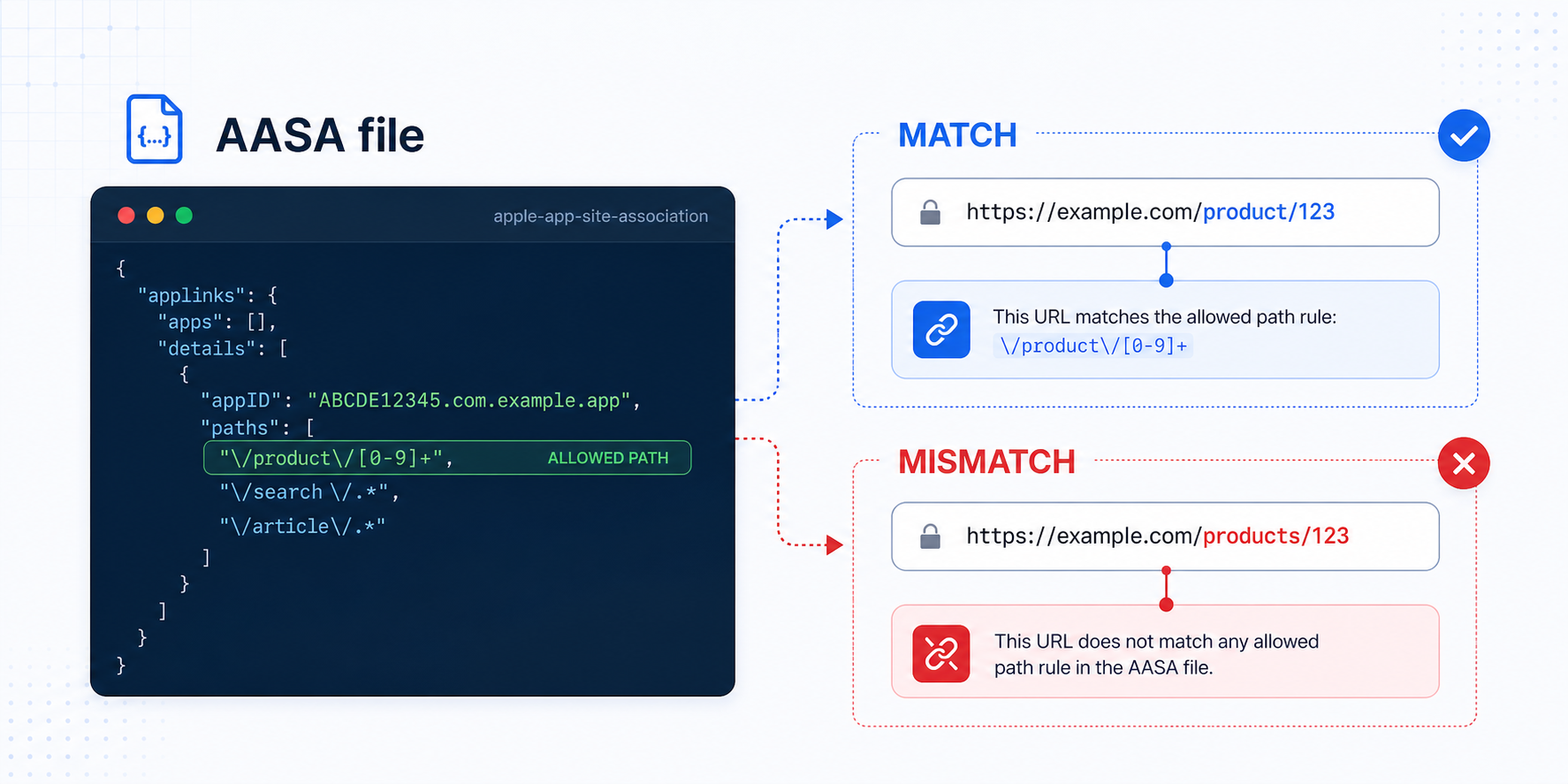
First, I verify that the apple-app-site-association file exists and that the expected path is actually allowed.
Small example:
Allowed path in AASA: /product/[0-9]+
Matching URL:         /product/123
Wrong URL:            /products/123
If that path rule does not match the real tested URL, the app never gets the handoff you expect.
2. Entitlements
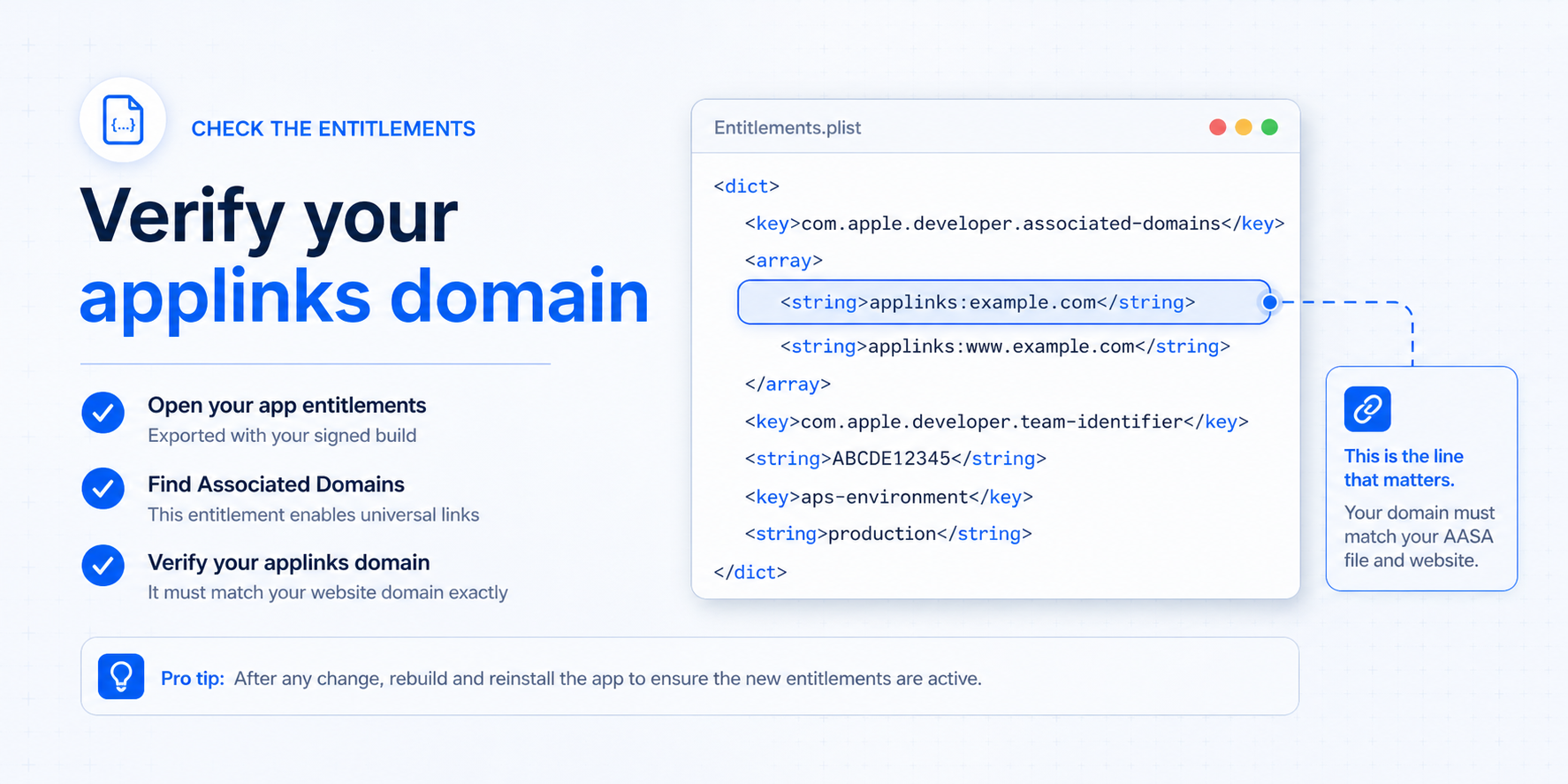
Next, I verify that the signed app carries the correct applinks: domain entry in its entitlements.
Small example:
<key>com.apple.developer.associated-domains</key>
<array>
    <string>applinks:example.com</string>
</array>
What I care about here is simple: the domain in entitlements must match the real domain used by the website.
3. Provisioning profile
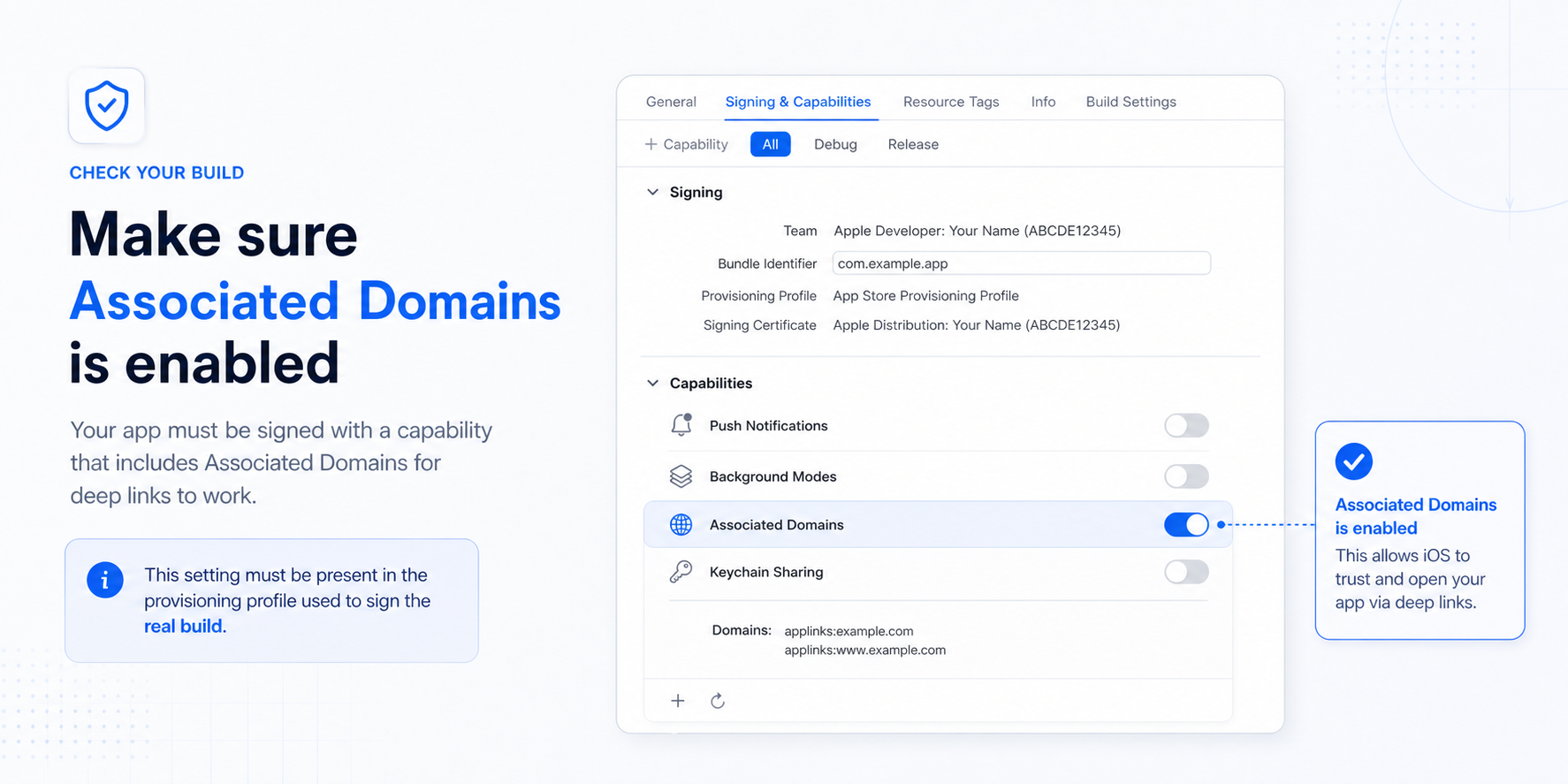
After that, I verify that Associated Domains is actually enabled in the build capability used by the real signed app.
Small example:
Capability: Associated Domains
Expected state: Enabled
Expected domain: applinks:example.com
If the capability is not present in the real signing setup, the entitlement can look right in source and still fail in the final artifact.
4. URL path mismatch
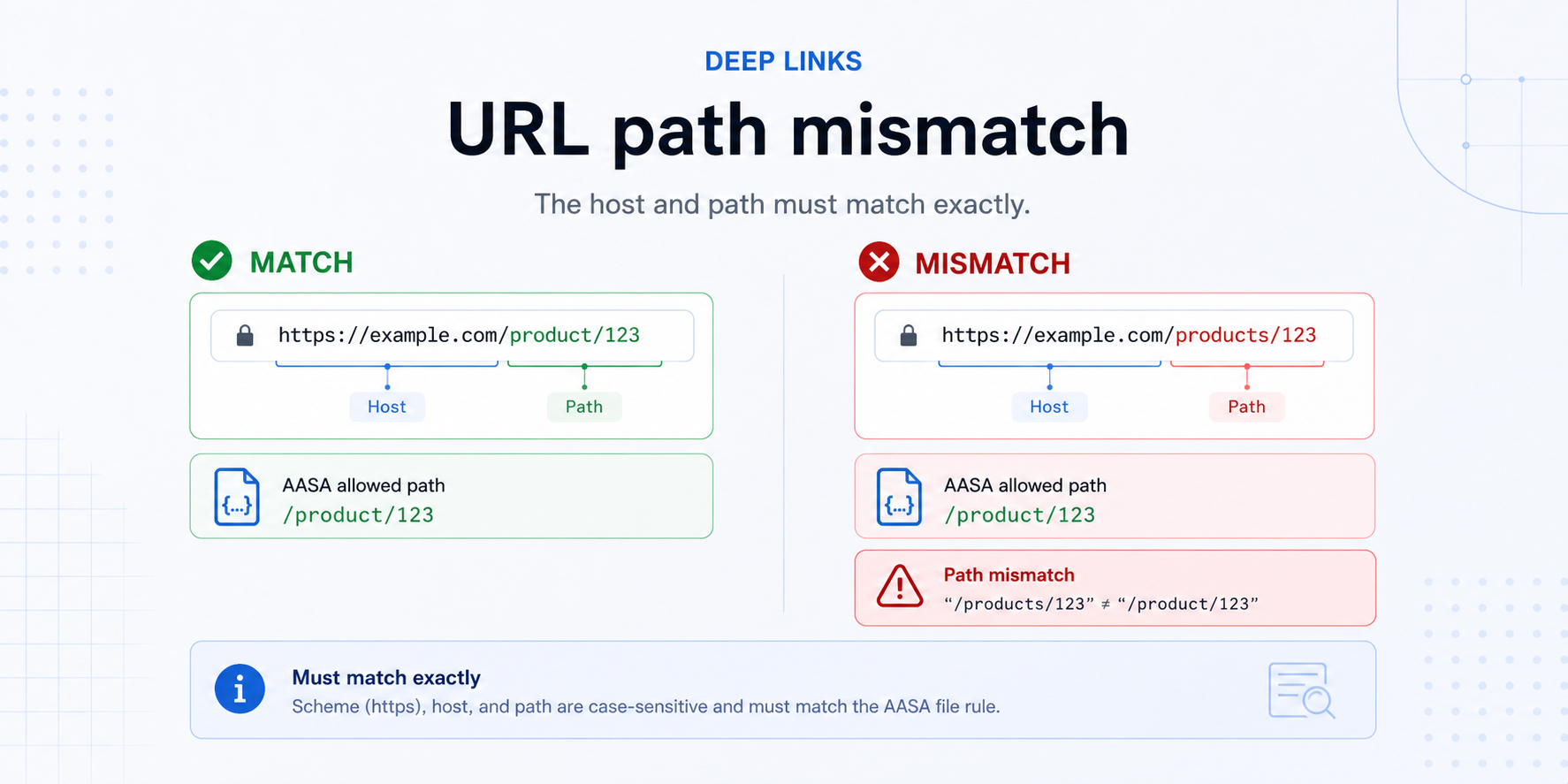
Finally, I compare the exact tested URL against the host and path rule I allowed earlier.
Small example:
AASA path:  /product/123
Test URL:   https://example.com/products/123
Result:     mismatch
This is one of the most common failures because everything can look “almost right” while the link still stays outside the app.
This is why I start here first
If these 4 checks are wrong, no app-side fix will save the link.
Only after they are correct do I move into SceneDelegate, routing, launch handling, or navigation bugs.